Compatible OLINK Product Types

From EV Charging Hardware to Home Energy

The SESC App supports selected App-enabled OLINK products across four residential charging and smart energy categories.

App-Enabled Models

Smart Charging Adapters

Designed for supported OLINK adapters used between different EV and charging-station standards.

  • Real-time voltage and current
  • Charging status and vehicle SOC
  • Fault information and device logs
  • Charging history and firmware support
Explore Smart Adapter
Residential Charging

Home AC Chargers

Smart wall-mounted AC charging for daily use in home garages and private residential parking spaces.

  • Remote charging start and stop
  • Scheduled off-peak charging
  • Real-time charging information
  • Energy use and charging records
Explore Home AC Chargers
Faster Home Charging

Compact Home DC Chargers

Compact DC charging products for faster charging at homes and other small private charging locations.

  • Real-time output power and SOC
  • Charging duration and device status
  • Remote charging management
  • Fault and operating information
Explore Compact DC Chargers
Integrated Home Energy

Home Solar-Storage-Charging

An integrated system connecting solar power, battery storage, household electricity and EV charging.

  • Solar generation and battery visibility
  • Household load status monitoring
  • EV charging energy management
  • Smarter energy scheduling
Explore Home Energy System
i
Compatibility notice: Available App functions depend on the product model, hardware version, firmware, communication method and project configuration. Please confirm SESC App compatibility with OLINK before ordering.

Core App Capabilities

See More. Control More. Charge Smarter.

Bring charging information, device management and home-energy visibility together in one intelligent mobile platform.

Real-Time Device Status

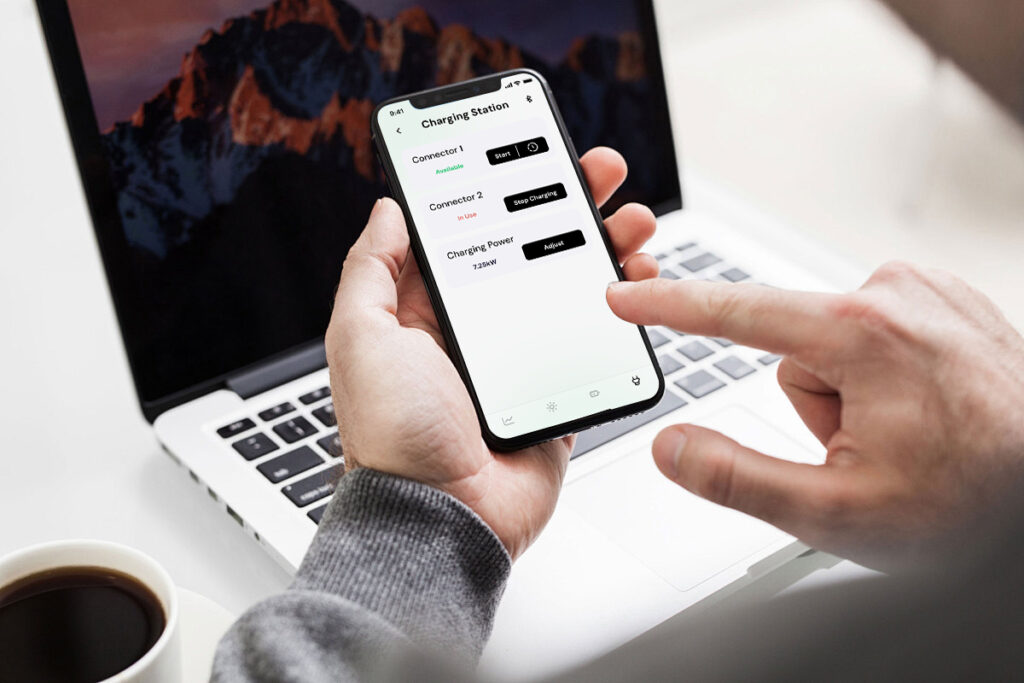
Check whether a compatible device is idle, connected, charging or reporting an operating fault.

Live Charging Data

View available voltage, current, power, vehicle SOC and charging-duration information in real time.

Remote Charging Control

Start or stop a supported charging device remotely through the SESC App.

Scheduled Charging

Schedule supported chargers around household routines, off-peak tariffs or available solar energy.

Charging History

Review previous charging sessions and available energy-use records for easier tracking and support.

Faults & Diagnostics

Access supported fault information and device logs to help simplify troubleshooting and after-sales communication.

Search & Navigation

Find supported public charging locations and open route guidance using compatible map services.

Payments & Access

Use supported charging-access and payment options without depending entirely on physical charging cards.

Functions shown on this page may vary according to the connected product, hardware version, firmware, network connection and project configuration.

Simple Device Connection

Get Connected in Four Steps

Download the SESC App, add a compatible OLINK product and follow the product-specific connection instructions.

1

Download the App

Install SESC EV Charging on a compatible Android or supported iOS mobile device.

2

Add Your Device

Open the App and select the option to add a compatible OLINK charging or energy product.

3

Connect the Product

Follow the on-screen Bluetooth or Wi-Fi instructions provided for the selected product.

4

Monitor and Manage

Access the available charging, energy, history, control and maintenance functions.

Download SESC EV Charging

Your Charging and Home Energy in One App

Connect a supported OLINK product and bring charging status, energy information and device management closer to hand.


Get SESC EV Charging on Google Play
SESC EV Charging for iOS Availability may vary by region
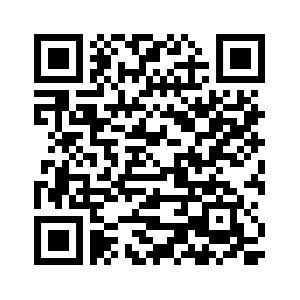
QR code for downloading SESC EV Charging Scan to Download Open the link using your mobile device

Connection methods, permissions and available App functions may differ according to the product model, phone operating system, hardware version and communication configuration.

Frequently Asked Questions

SESC App Compatibility and Use

Find answers about compatible OLINK products, connection methods and available App functions.

Which OLINK products can use the SESC App?

SESC is available for selected App-enabled OLINK charging adapters, home AC chargers, compact home DC chargers and home solar-storage-charging systems. Compatibility should be confirmed for the specific product model before ordering.

Do all product types have the same App functions?

No. Functions vary according to the connected hardware, firmware, communication method and project configuration. Adapter diagnostics, charger control and home energy management serve different operating requirements.

Can SESC connect through Bluetooth or Wi-Fi?

Supported connection methods depend on the product. Some devices use Bluetooth for local connection, while compatible charging and energy products may use Wi-Fi or another configured communication method.

Can the App remotely start or stop charging?

Remote charging control is available on supported products and configurations. Actual control functions depend on the device, connection status and user permissions.

Can SESC help with troubleshooting and maintenance?

On supported products, device status, fault information, charging history, operating logs and firmware-related functions can help users and OLINK support teams identify problems more efficiently.

Is a commercial operator platform also available?

Yes. OLINK also provides a separate SESC web-based management platform for compatible commercial charging projects, charging operators, fleets and hardware partners.

Since 2011 EVSE research, development and manufacturing
OEM / ODM Hardware, software and branding customization
Multi-Standard GB/T, CCS1, CCS2, NACS, J1772 and Type 2
Technical Support Product selection, integration and after-sales service
OLINK Smart Charging Ecosystem

Need an App-Enabled Product for Your Market?

Tell us your required product type, charging standard, charging power, communication method and application scenario. OLINK can recommend a suitable SESC-compatible configuration and provide OEM/ODM support.

Ask For A Quick Quote

We will contact you within 1 working day. Please pay attention to the email with the suffix “@OLINKTEK.com”.

Please enable JavaScript in your browser to complete this form.