OLINK CCS2 to GB/T Adapter is designed for cross-standard DC fast charging between CCS2 charging stations and GB/T electric vehicles. With Bluetooth-based App control, users can view real-time charging data, check device status, manage charging records, and perform software upgrades for easier operation and maintenance.
What Can You Monitor Through the App?
Real-Time Working Status
View whether the adapter is idle, connected, or charging during operation.
Voltage and Current Monitoring
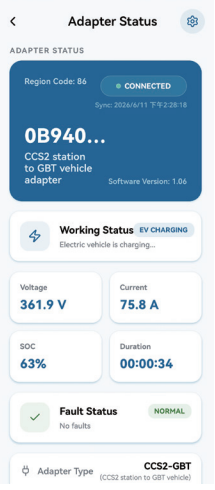
Check real-time charging voltage and current directly from the App interface.
SOC and Charging Duration
Monitor vehicle SOC and charging duration during the charging process.
Fault Status Display
The App displays fault status to help users identify whether the adapter is operating normally.
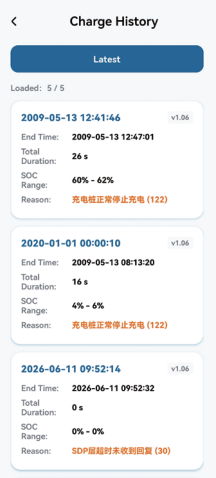
Charging History
Review previous charging records for easier operation tracking and maintenance.
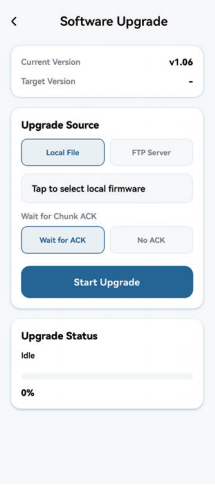
Software / Firmware Upgrade
Support App-based software upgrade to keep the adapter updated for future compatibility improvements.
How to Connect the CCS2 to GB/T Adapter to the App
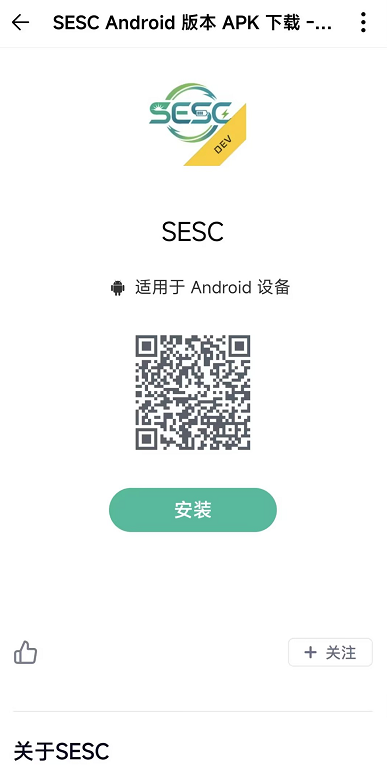
1. Scan QR Code and download SESC Android
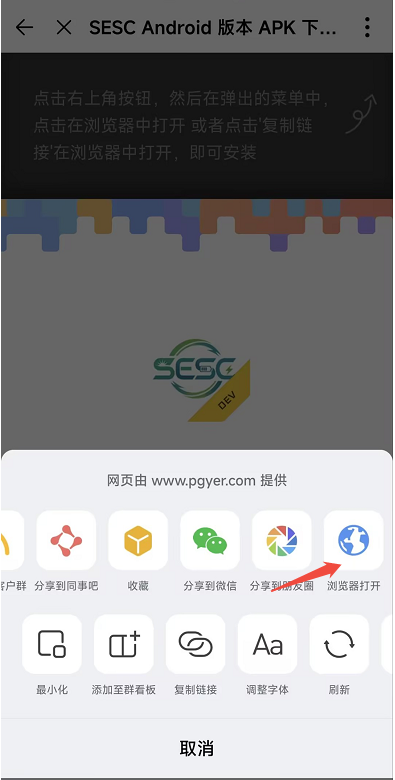
2. Click the 3 dots in the upper right corner to open in the browser
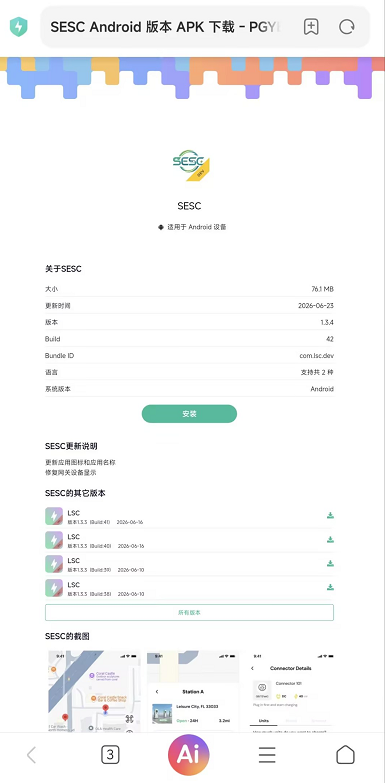
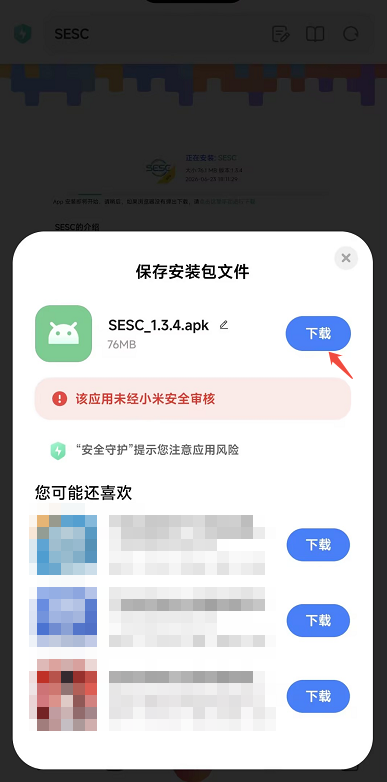
3. Click and Install
4. Click Download
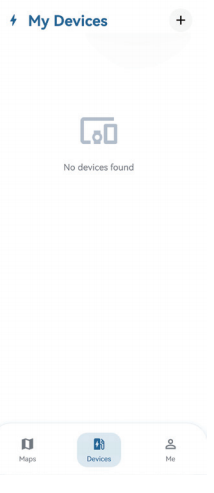
5. Open SESC APP
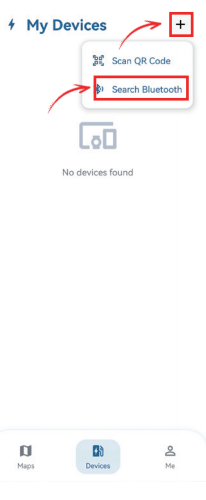
6. Click the “+” on the top right, and then click “Search Bluetooth”
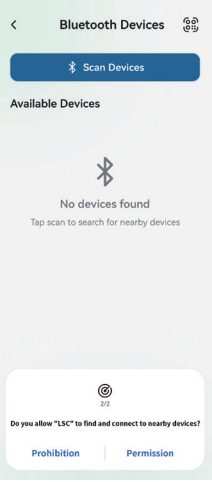
7. Allow “SESC” to find nearby devices
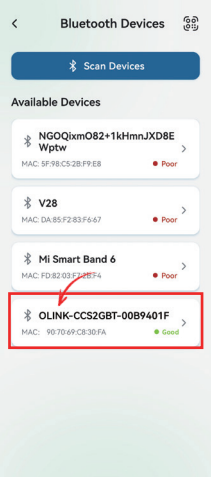
8. Locate the device with the letters “OLINK”
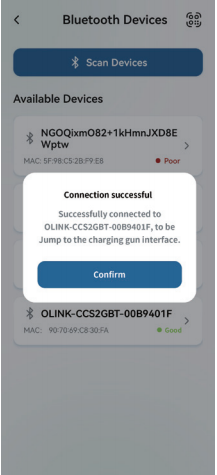
9. Connect successfully, click OK
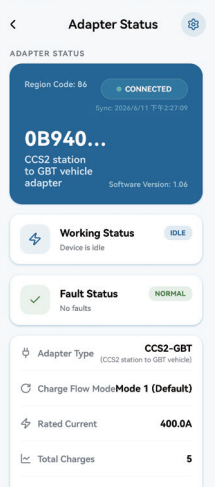
10. Connect successfully and start charging
10. Connect successfully and start charging(Detailed data shown)
11. Charging history can be viewd
12. Software upgrades canbe viewed
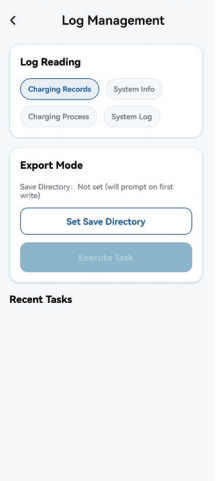
13. Log management can be viewed
Bluetooth Connection Distance Test
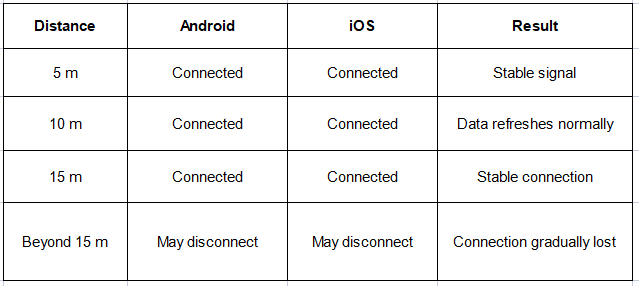
The Bluetooth connection was tested with both Android and iOS devices. In the open-distance test shown in the video, the App remained connected and refreshed data normally at 5 meters, 10 meters, and 15 meters. Beyond this range, the devices gradually lost connection.
Noted: Bluetooth range may vary depending on phone model, obstacles, signal interference, and charging site environment.
Why App Control Matters for Business Charging Projects
For companies using CCS2 to GB/T adapters in cross-border EV charging projects, App control brings more than convenience. It helps users check charging data, confirm adapter status, identify faults, review charging records, and update software when needed.
Easier Field Operation
Technicians can quickly check real-time data from a phone.
Faster Troubleshooting
Fault status and logs help reduce communication time.
Better Maintenance Support
Charging history and device information support after-sales service.
Long-Term Compatibility
Firmware upgrade support helps the adapter adapt to future charging requirements.
FAQ About CCS2 to GB/T Adapter App Control
Can the App control the CCS2 to GB/T Adapter?
Yes. The adapter can connect to the LSC App via Bluetooth. Users can view device status, charging data, fault status, charging history, and software upgrade information.
What charging data can be viewed in the App?
The App can display real-time voltage, current, SOC, charging duration, working status, fault status, adapter type, rated current, device ID, and software version.
Does the adapter support firmware upgrade?
Yes. The App supports software upgrade management. Users can check the current version, select the upgrade source, and start the upgrade process from the App.
How far can the Bluetooth connection work?
In the video test, Android and iOS devices remained connected at 5 m, 10 m, and 15 m. Beyond 15 m, the connection gradually became unstable or disconnected. Actual range may vary by environment.
Can the App be used during actual vehicle charging?
Yes. In the real vehicle charging demo, the App displayed charging data while the vehicle was charging through the CCS2 to GB/T Adapter.
Need a CCS2 to GB/T Adapter with App Monitoring?
Contact OLINK to get detailed specifications, App operation guidance, firmware upgrade support, and compatibility information for your charging project.